
Help Center › Galleries & Photos › Image Depot Sync: back up photos to your computer automatically
Image Depot Sync: back up photos to your computer automatically
Image Depot Sync is a small program you install on your Windows computer (a Mac version is planned, not available yet). Once it's set up, any new photo that lands in your active gallery gets copied down to a folder on your computer automatically -- no dragging, no clicking, nothing to remember.
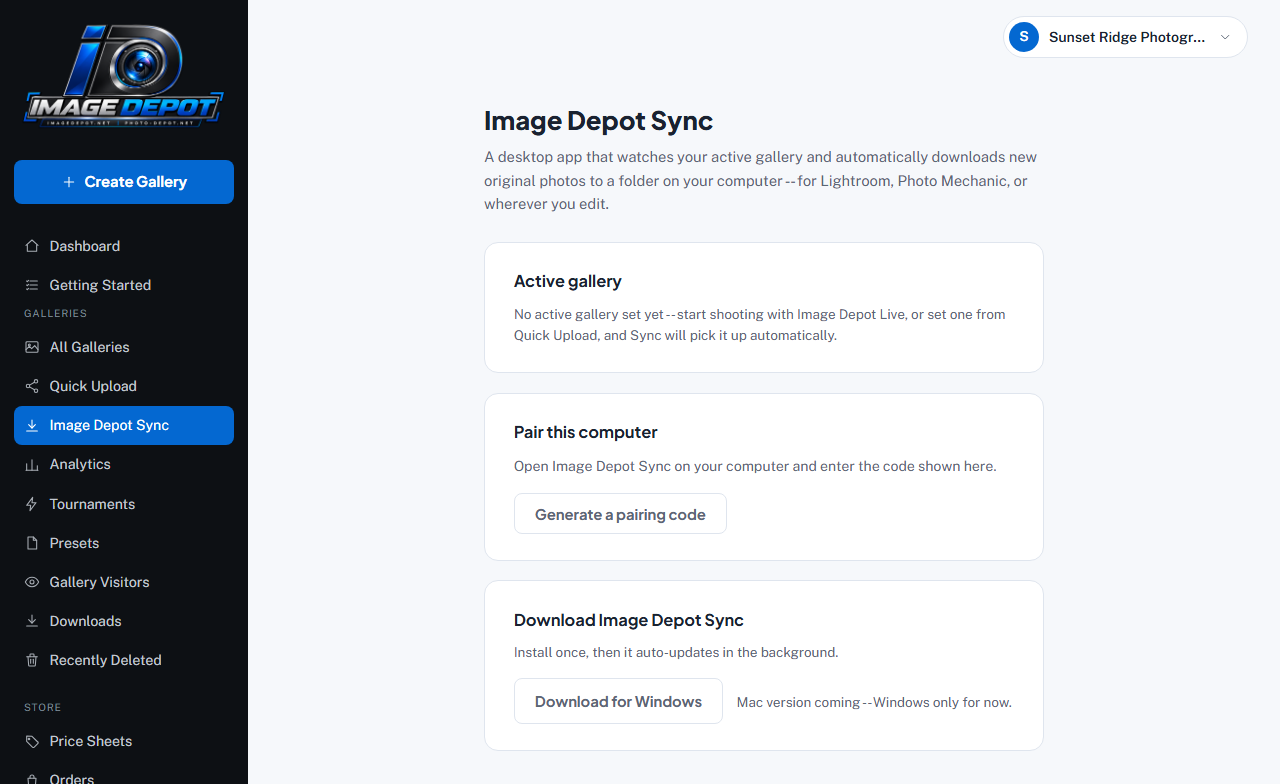
The Image Depot Sync page in your dashboard -- found under Image Depot Sync in the sidebar.
Setting it up -- 3 steps
- Download and install itOpen Image Depot Sync in your dashboard sidebar, then click Download for Windows. Install it like any normal program. (There's no Mac version yet -- one is planned.)
- Pair it with your accountOn the same dashboard page, click Generate a pairing code -- a short code appears. Open the Image Depot Sync app on your computer and type that code in. This links the app to your account, once, and it remembers it after that.
- Pick your active galleryTell Image Depot Sync (or Quick Upload -- they share the same setting) which gallery you're shooting right now. New photos in that gallery start downloading to your computer within moments of appearing online.
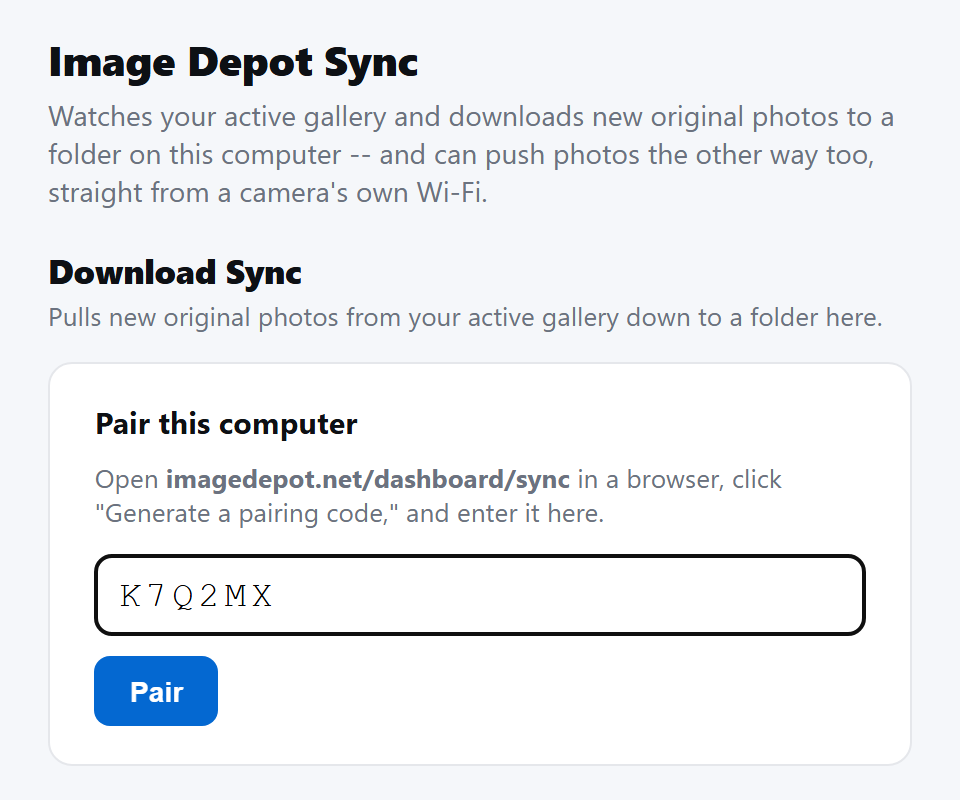
Step 2 in the app itself -- type the code from your dashboard and click Pair.
Where your photos go
During setup, the app asks you to choose a folder on your computer (for example, a folder you already open in Lightroom or Photo Mechanic). Every new original photo is saved there automatically, using its real filename -- nothing renamed, nothing resized.
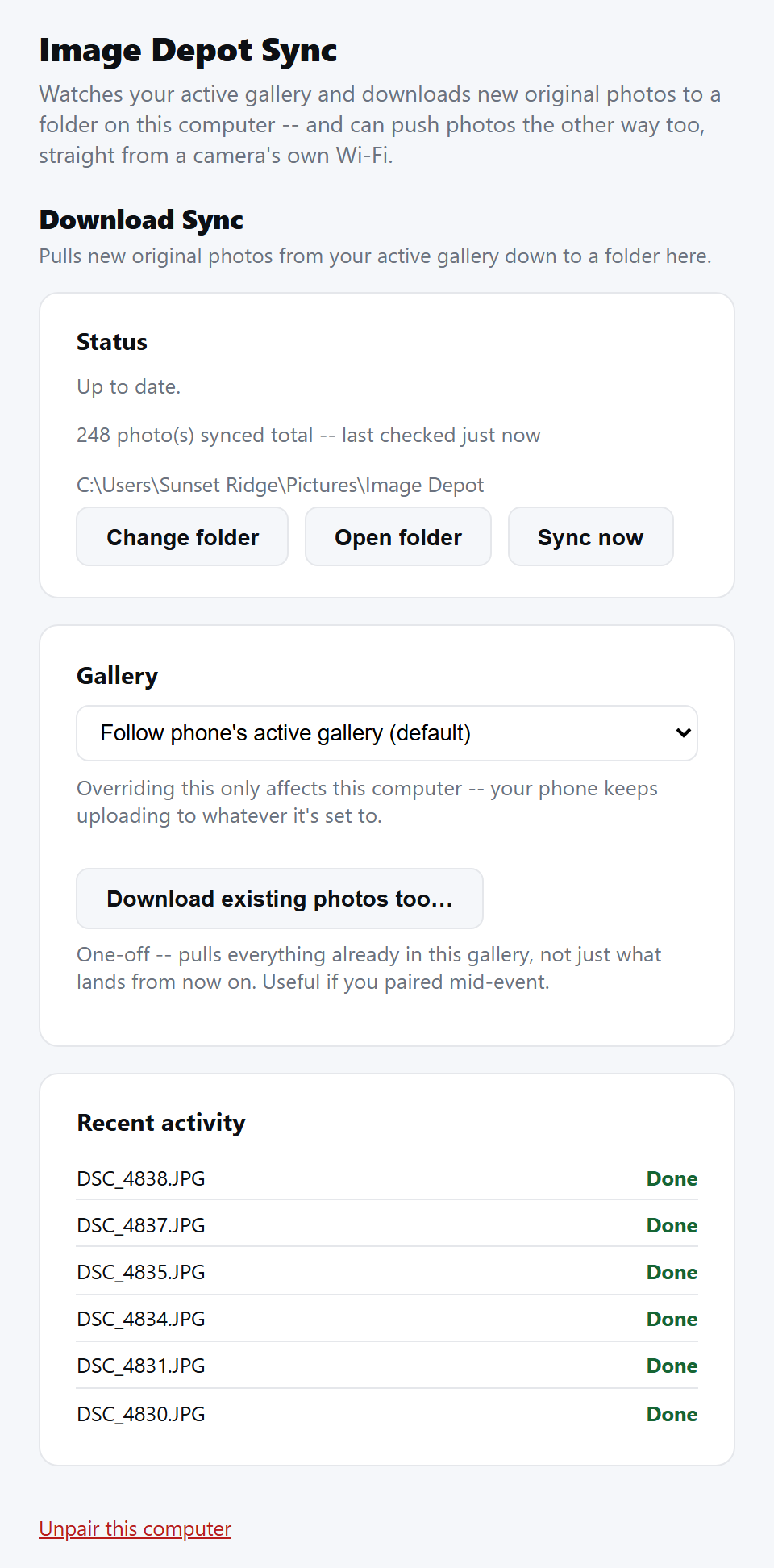
Once it's running -- the folder your photos go to, the gallery it's following, and the latest photos it has saved. Sync now checks right away instead of waiting for the next automatic check.
Staying up to date
Once installed, Image Depot Sync checks for updates on its own every few hours in the background and installs them quietly -- you don't have to do anything or reinstall it yourself.
Sync vs. Quick Upload vs. Image Depot Live -- what's the difference?
These three all work together but do opposite jobs, so it helps to know which is which:
- Image Depot Sync (this page) pulls photos down from your gallery to your computer, for editing or backup.
- Quick Upload and Image Depot Live push photos up from your phone into your gallery.
- Camera Wi-Fi direct upload pushes photos up too, but straight from your camera to your computer over Wi-Fi -- no phone involved at all.
Most photographers only need the "up" side (Quick Upload or Camera Wi-Fi direct upload) plus Sync for backup/editing -- you don't need all of them running at once unless that's genuinely how you work.
Still stuck?
Contact usAlready logged in? Message us from Support Chat in your dashboard.