
Help Center › Account & Billing › School Program: teaching photography to your students
School Program: teaching photography to your students
If you teach photography, School Program gives each of your students their own free, real Image Depot account -- a place to build a portfolio and host their images -- and gives you, their instructor, one simple roster to manage all of them from.
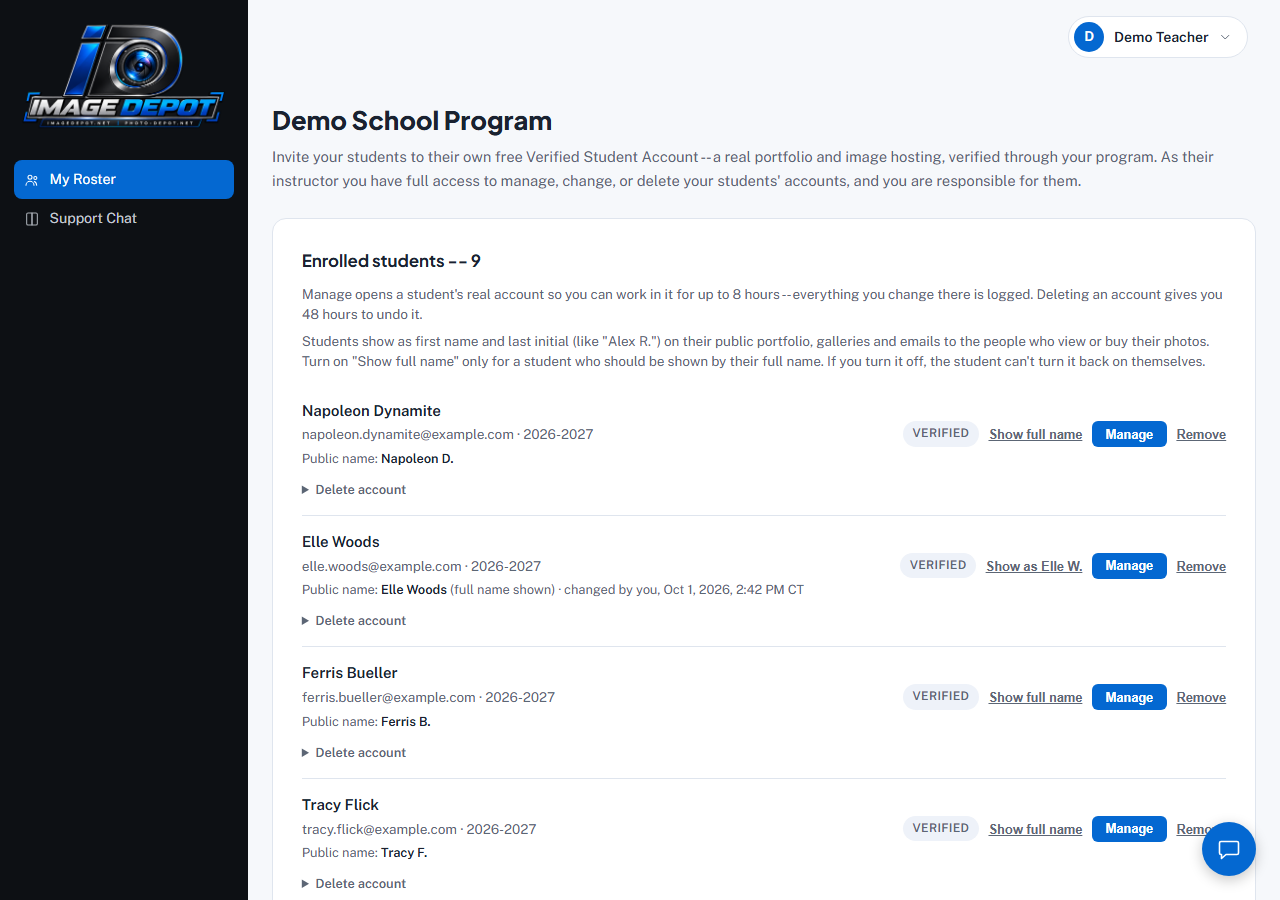
A School Program roster with students enrolled -- each one shows Verified once they've accepted their invite, and the name the public sees.
Getting a School Program account
School Program accounts are set up by Image Depot; there's no self-serve sign-up. Send the Request information form on our For schools page (or contact us) and we'll get your program set up. The For schools page also explains the program for your school, including the 2026–2027 pilot.
Inviting a student
- Open My RosterThe only item in your School Program sidebar.
- Invite a studentEnter their name and email. They get an email with a link to set their own password and activate their free account. To accept, the student confirms they are 13 or older and accepts the Terms and Privacy Policy (with a parent or guardian acknowledgement if they're under 18).
- They show up as VerifiedOnce they accept, your roster shows them as a real, verified student -- this is also what lets their public portfolio display a "Verified Student Photographer" badge.
Managing a student's account
As the instructor, you're responsible for your students' accounts while they're enrolled, so you have real, full access to them:
- Manage opens a student's actual account so you can help them directly -- for up to 8 hours at a time. Every change you make while managing their account is logged.
- Remove takes a student off your roster without deleting their account or anything in it.
- Delete account is permanent, but not instant -- your student gets 48 hours to undo it first, in case it was a mistake.
Your students' names in public
Your students show by first name and last initial (like "Alex R.") on everything the public sees: their portfolio, their galleries, the watermark on their photos, and emails to the people who view or buy their photos. Their full name only appears there if the student, or you, turn it on. Inside their account, and on your roster, you both still see the full name.
- Your roster shows each student's Public name. Click Show full name to show a student's full name, or Show as Alex R. to go back.
- If you turn a student's full name off, the student can't turn it back on themselves while they're on your roster. A student can always switch back to first name and last initial.
- Every change, by you or by the student, is logged with the time (Central time).
See also: what your students see on their side.
Last updated
Still stuck?
Contact usAlready logged in? Message us from Support Chat in your dashboard.