
Help Center › Account & Billing › API Keys: connecting your own website or software
API Keys: connecting your own website or software
An API key is a long, secret code that lets a website or program you control -- not a person -- log into your Image Depot account and do things automatically, like listing your galleries or checking on an order. Think of it like a special password made just for computer programs instead of people.
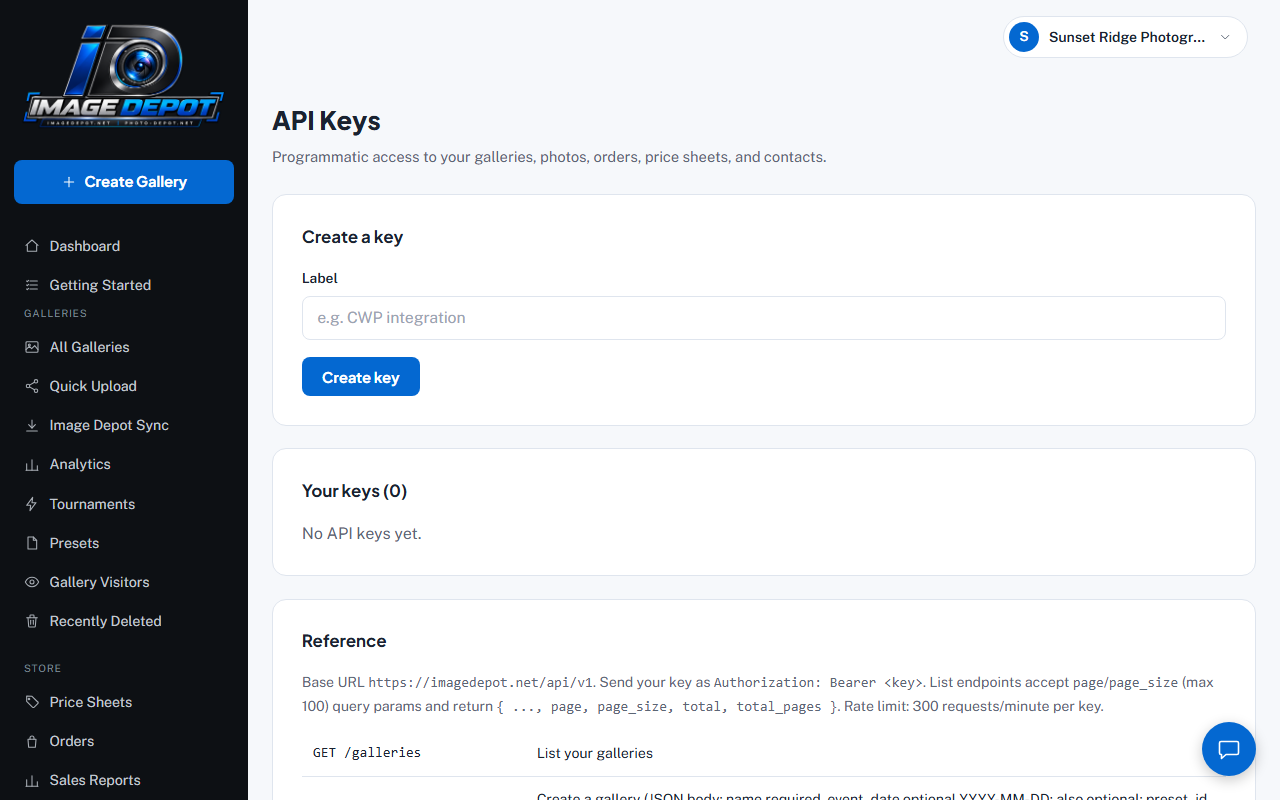
The API Keys page -- found under your account menu (click your studio name, top right). This account has no keys yet.
Creating a key
- Open API KeysClick your studio name in the top right, then API Keys.
- Give it a labelA short name so you remember what it's for later, like "My Website" or "CWP Integration" -- this is just for you, nobody else sees it.
- Click Create keyYour new key is shown to you exactly once. Copy it somewhere safe right away -- Image Depot never shows the full key again after this, for your own security.
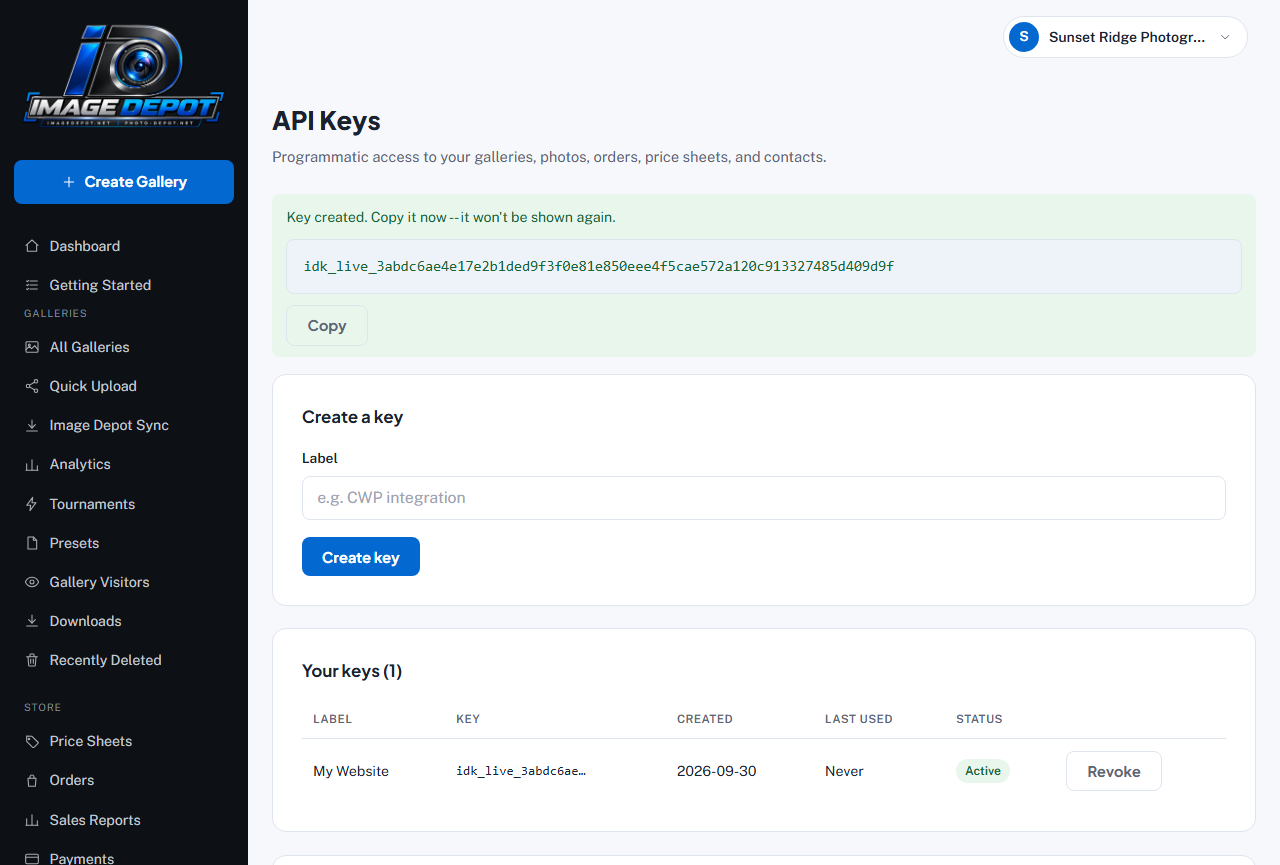
Right after you click Create key -- the only time the full key is shown. Click Copy and save it somewhere safe. (The key in this picture is a made-up example.)
What it can do
A key can list and manage your galleries, photos, orders, price sheets, and contacts, using Image Depot's own developer API. If you're a developer, the full technical reference (web address, available actions, rate limits) is shown right on the API Keys page itself once you're logged in.
Removing a key
If a key is no longer needed, or you think it may have been seen by someone it shouldn't have been, click Revoke next to it on the same API Keys page. This stops it from working immediately -- nothing using that key can connect anymore, and you can always create a fresh one.
Still stuck?
Contact usAlready logged in? Message us from Support Chat in your dashboard.